Show the set. Keep the bundle logic honest.
A theme can explain a bundle and present its choices. That is different from maintaining component inventory, applying a discount or managing a subscription. Verify those responsibilities before presenting any set as a working bundle.
- Explain the set
- Choose components
- Validate inventory
- Show the cart clearly
Separate presentation from operations
A “complete the look” recommendation, a multi-item add and a Shopify bundle product are different mechanisms. Write down which one you intend to sell. Shopify currently says that creating product bundles requires a bundles app. A theme block with bundle styling is not evidence that it replaces that inventory relationship.
Ecomfella includes bundle and gift presentation in its product-information inventory and has dedicated bundle snippets in the development source. Release-specific behaviour still needs testing. This guide does not claim that a native theme block replaces Shopify Bundles, all bundle apps or every discount requirement.
Explain what the customer actually receives
List the components, quantities and available choices close to the action. Say whether the set is fixed or customisable. A crossed-out total should correspond to a defensible comparison, not an invented saving. If part of a set is optional, distinguish it from an included component.
Let photography establish how products work together, then use text for precise inclusion. A shopper must not have to infer whether an accessory in a lifestyle image is included. On mobile, keep the selected components visible or easily reviewable before adding.
| Question | Presentation responsibility | Operational responsibility |
|---|---|---|
| What is included? | Names, quantities, imagery | Correct product/component records |
| What does it cost? | Honest price explanation | Discount and checkout calculation |
| Is it available? | Clear unavailable state | Component inventory system |
| What can be returned? | Readable policy link | Merchant returns process |
Try the awkward combinations
Set one component out of stock. Change an option after the set is selected. Remove a component in the cart if the chosen system permits it. Check that the remaining lines, price and eligibility remain consistent. A successful first add on a demo is not enough to establish bundle compatibility.
Test the real checkout summary and order records in an authorised test environment. A cart-level visual saving cannot prove the final discount. Subscriptions, gifts and quantity breaks each add conditions that should be tested separately rather than assumed to stack.
Choose the smallest reliable implementation
If you only need recommendations, a clear cross-sell may be enough. If you sell a fixed kit with shared stock, choose a compatible bundle system and confirm its requirements. If the configuration is complex, budget for app evaluation and integration work independently of the theme price.
Inspect the Ecomfella product and cart demos for presentation quality, then confirm the chosen release against your bundle system. Keep a written acceptance checklist covering stock, discounts, cart editing and returns. No recurring-cost saving is guaranteed by the presence of a bundle layout.
Inspect the real storefront layer
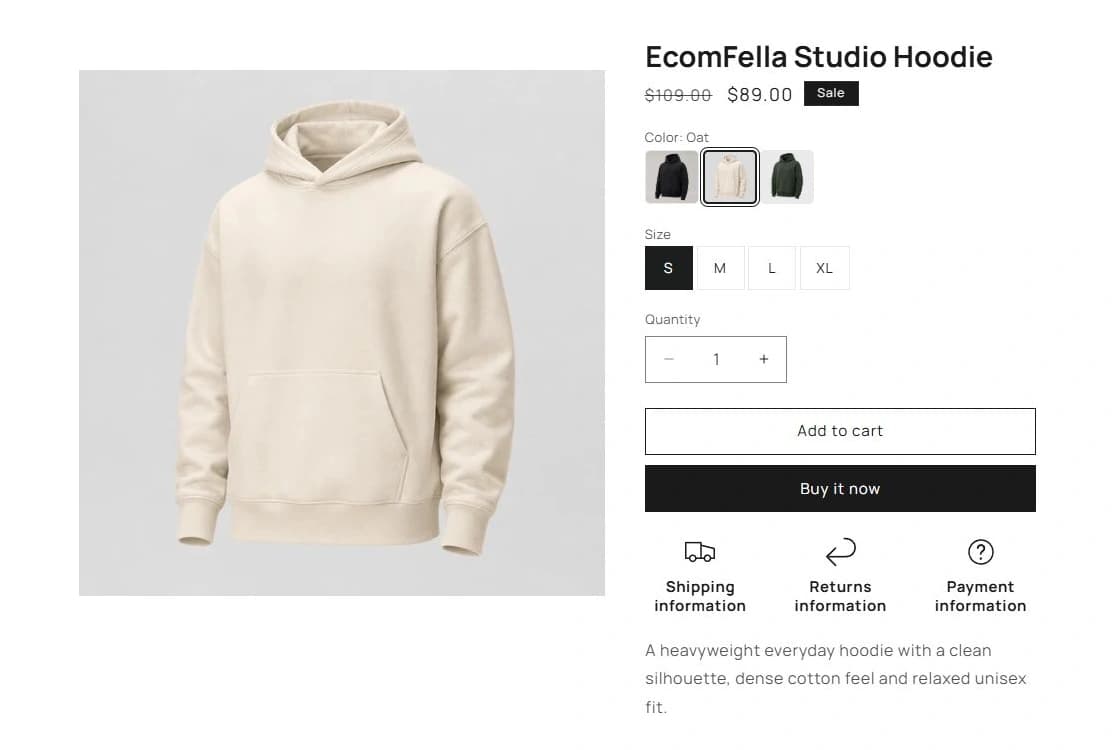
Read the Ecomfella theme overview, inspect the real product demo and use the package comparison to evaluate the remaining work. One licensed Shopify store per store seat. Upload the delivered ZIP as an unpublished Shopify theme. Review before publishing it yourself.
Questions before you decide
Does a bundle block eliminate the need for a bundles app?
No such claim is made. Shopify bundle creation and inventory logic must be supplied by a compatible system; the theme provides the storefront presentation.
Can a bundle discount be trusted from the screenshot?
No. Verify the actual cart, checkout and test-order records with the selected discount setup.
Bring this checklist to the theme.
See the real layouts and controls before deciding whether they fit your products. No theme purchase or delivery is enabled in this Preview.
Explore the real themeSources and review
Primary provider documentation reviewed on 2026-09-13. Features and policies can change; confirm the selected release and current provider terms. The Ecomfella media comes from the existing unpublished marketing-showcase evidence library.