Use Shopify metafields to give each product its own answer.
Metafields store structured information on a Shopify resource. A compatible theme setting can display that information through a dynamic source. Define the data type and ownership first; a field existing in Admin does not mean it is visible on the storefront.
- Define the field
- Populate the product
- Connect a setting
- Check the rendered value
Start with a customer question
Choose a fact that varies by product: material, care instructions, dimensions or an associated guide. Decide whether it belongs to the product, a specific variant or a reusable structured object. Avoid storing everything as a long unstructured text field just because it is easy to paste.
Choose a suitable definition and validation rule in Shopify. A measurement is not the same as a label, and a file reference is not the same as a text URL. Consistent types make editing safer and allow compatible filters or dynamic sources to use the information predictably.
Connect the data to a supported setting
Add sample values to a few products, then inspect a compatible setting in the Theme Editor. Shopify documents that most metafields can connect through dynamic sources when the theme supports them; unsupported settings or vintage themes can require code changes. Do not assume every block accepts every field type.
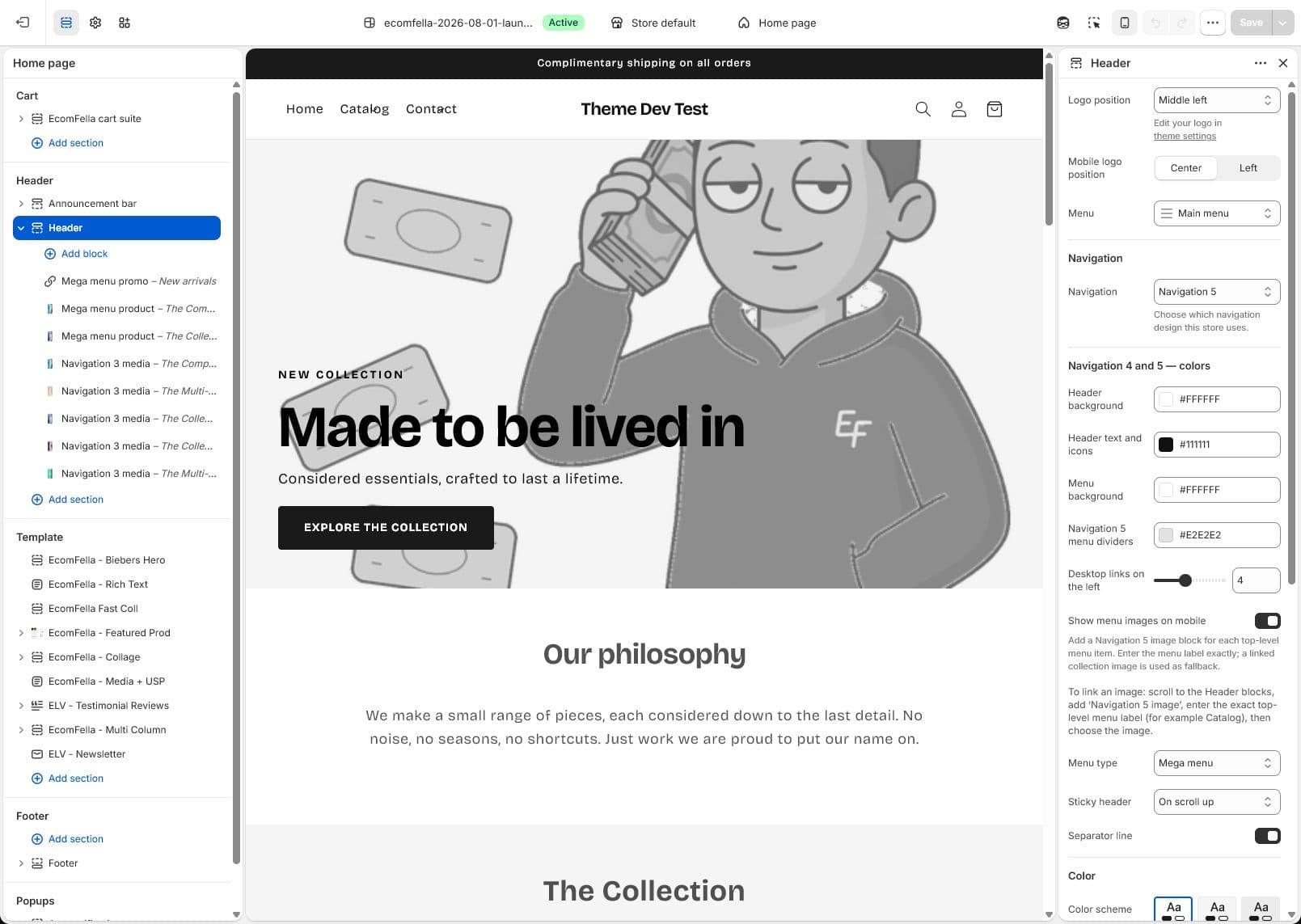
The real Ecomfella Editor capture shows its section-based editing environment. It is not evidence that every metafield type has been tested in every Ecomfella block. Check the exact field, setting and delivered release together before applying the configuration across the catalogue.
| Customer question | Candidate data | Render check |
|---|---|---|
| Will it fit? | Dimensions/measurements | Units and long values are readable |
| How do I care for it? | Product care text | Empty content does not leave a blank heading |
| Which guide applies? | File or page reference | Correct link and accessible label |
| Which version is selected? | Variant-specific data | Value changes with the intended variant |
Design for missing and exceptional values
Open one product with complete data, one with no value and one with a deliberately long value. Optional content should have an intentional empty state. Never fill a missing material or safety detail with a generic statement that could be wrong for the product.
If the field is essential to buying, make completeness part of your catalogue process rather than hiding the problem through styling. Document who maintains the value and how imports or bulk edits are validated. Product-specific information should not accidentally become a global theme default.
Reuse structure without losing meaning
A shared template can display different values for different products. That is the main advantage: the layout stays coherent while the content remains specific. Use separate templates only where the buying decision changes, not for every product with a different dimension.
Metafields can also support discovery when their definitions are compatible with Search & Discovery. Recheck the supported types and filter limits before planning the catalogue. Test on mobile, with translated content and after variant changes. Keep customer or private operational data out of storefront-connected fields.
- Confirm resource and type.
- Validate complete, empty and exceptional products.
- Check dynamic source availability in the exact setting.
- Review privacy before exposing any custom field.
Inspect the real storefront layer
Read the Ecomfella theme overview, inspect the real product demo and use the package comparison to evaluate the remaining work. One licensed Shopify store per store seat. Upload the delivered ZIP as an unpublished Shopify theme. Review before publishing it yourself.
Questions before you decide
Does adding a metafield make it public?
Not automatically. Visibility depends on how the storefront or another channel uses it. Deliberately review any field you connect to public presentation.
Do I need a template for every product?
Usually not for a different value alone. Use one suitable template with product-specific dynamic sources; use different templates for genuinely different structures.
Bring this checklist to the theme.
See the real layouts and controls before deciding whether they fit your products. No theme purchase or delivery is enabled in this Preview.
Explore the real themeSources and review
Primary provider documentation reviewed on 2026-09-13. Features and policies can change; confirm the selected release and current provider terms. The Ecomfella media comes from the existing unpublished marketing-showcase evidence library.
Continue with the next question
Move to a section-based Shopify theme with a controlled rebuild.
A Shopify theme for a large catalogue starts with discovery.
All storefront guides and tools