A Shopify theme for a large catalogue starts with discovery.
Choose a theme by how easily a shopper can narrow a realistic assortment, not by the number of products in a demo. Catalogue data, Shopify filtering limits and the way pages load matter as much as the visual grid.
- Department
- Useful collection
- Meaningful filter
- Confident product choice
Organise the catalogue before you choose the grid
Start with the questions customers ask: what is it for, will it fit, and which version should I choose? Build a collection hierarchy around those decisions. A department with hundreds of unrelated items is not made easier to browse by adding a larger hero image. Decide which attributes deserve a collection, which belong in a filter, and which should remain product information.
Keep product types, option names and metafield values consistent. A material called “oak” on one product and “Oak wood” on another can split the experience unless you deliberately group the values. Model a representative sample across brands, price ranges, variants and stock states before applying the structure to the full catalogue.
Separate Shopify limits from theme presentation
Shopify currently documents that collections with more than 5,000 products do not display Search & Discovery filters. A theme cannot remove that platform limitation. Smaller purposeful collections can be more useful than one enormous catch-all page. Check the linked documentation again before deciding on an architecture.
The same documentation describes a maximum of 25 filters and up to 100 displayed values per filter. Do not turn these maxima into design targets. Give priority to the few distinctions a shopper actually understands. Test combinations that return nothing and provide a clear reset action.
- Verify collection sizes and filter support on the intended release.
- Inspect empty results and unavailable variants.
- Keep collection descriptions useful but out of the way of discovery.
Make each card answer a buying question
A consistent image ratio, readable title, honest price and relevant option cue help shoppers compare. Do not load full product galleries into every card. A quick-buy action must not bypass a required choice, subscription condition or personalised field. If the decision is complex, sending shoppers to the product page is the clearer route.
Ecomfella includes collection, category-navigation and product-grid presentations in its published marketing inventory. The capture here shows a real composition. It does not prove that a particular large merchant catalogue has been benchmarked. Bring your own catalogue sample to the demo and inspect the exact release.
Run a catalogue acceptance test
Select a common item, a difficult-to-classify item and an out-of-stock item. Find each from the homepage, search and a collection on a phone. Return from a product page and verify that navigation context remains understandable. Compare the same tasks with keyboard navigation on desktop.
Measure a representative collection with the final images and apps enabled. Record initial load, filter response and layout movement separately. There is no universal product count at which every Shopify store becomes slow; network, images, apps and page composition influence the result.
- Use a real mid-range phone as well as a desktop.
- Check filter reset, sorting and pagination.
- Test sale prices, long names and missing images.
- Repeat after adding the actual app stack.
Inspect the real storefront layer
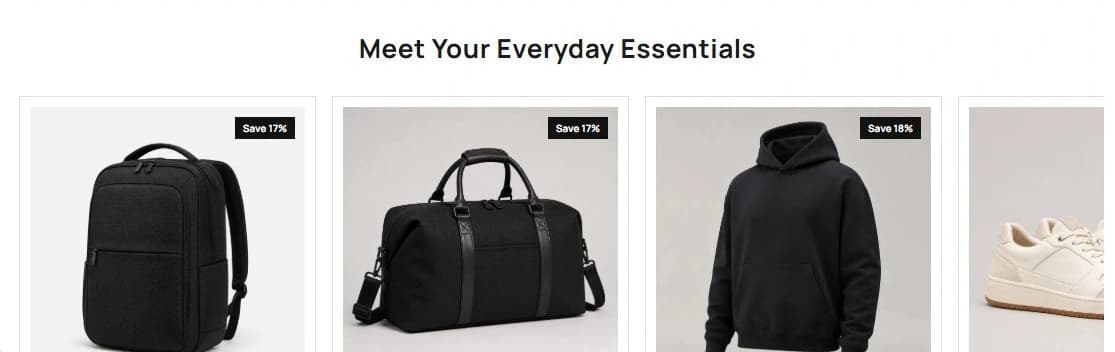
Read the Ecomfella theme overview, inspect the real product demo and use the package comparison to evaluate the remaining work. One licensed Shopify store per store seat. Upload the delivered ZIP as an unpublished Shopify theme. Review before publishing it yourself.
Questions before you decide
Does Ecomfella guarantee speed for a fixed number of SKUs?
No. The existing evidence shows theme layouts, not a catalogue-size performance guarantee. Test your assortment, media and integrations.
Is a mega menu enough?
No. Menus provide entry points; useful collections, clean data, search and filtering do the detailed discovery work.
Bring this checklist to the theme.
See the real layouts and controls before deciding whether they fit your products. No theme purchase or delivery is enabled in this Preview.
Explore the real themeSources and review
Primary provider documentation reviewed on 2026-09-13. Features and policies can change; confirm the selected release and current provider terms. The Ecomfella media comes from the existing unpublished marketing-showcase evidence library.
Continue with the next question
Design a Shopify mega menu that helps people choose.
shopify collection page design
All storefront guides and tools